Receive messages from your Facebook pages right in the LiveChat app. Keep all your communication in one place, to make your team more effective and provide better customer support
Other benefits of our integration with Facebook Messenger:
Connect multiple Facebook pages to your LiveChat account — if you run a couple of Facebook pages, you might want to link all of them to one LiveChat account. To make sure that you always know which fan page your messages are coming from, you can assign each page to a specific group
Send rich messages to your fans—use cards, product carousels, quick replies and suggested responses thanks to our integration with ChatBot. Rich messages are displayed both in Facebook Messenger and the LiveChat app
Connect LiveChat to Facebook
The installation takes only a few minutes. Log in to LiveChat and follow these steps:
1
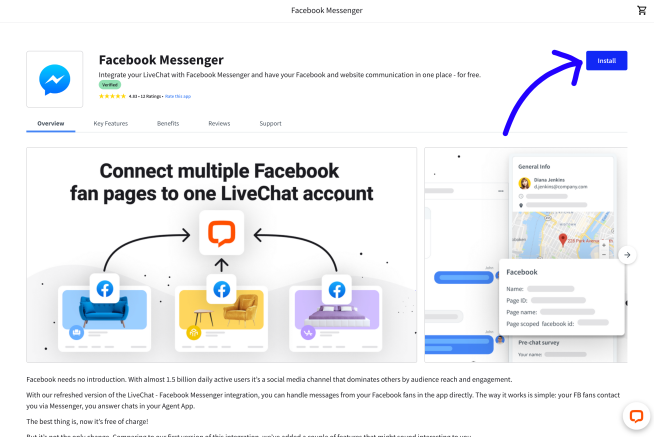
Go to the Facebook Messenger page in our Marketplace. Then, select Install in the top right corner.
2
Select Settings.
3
Select Connect to Facebook.
4
Provide your Facebook credentials and Log in.
5
Choose Continue as [your name].
6
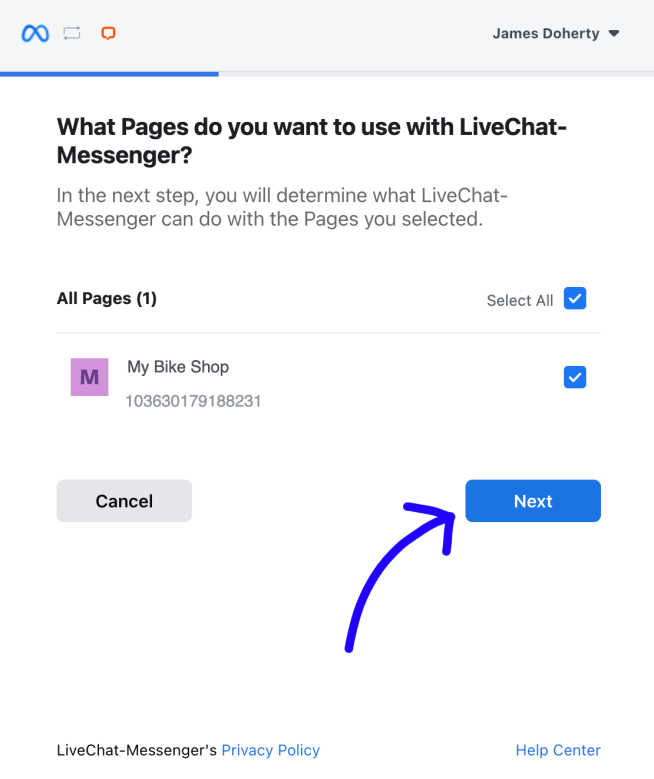
Choose pages you want to connect to LiveChat and pick Next.
7
Make sure all options are on and select Done.
8
Finally, select Ok.
9
In the last step, you can choose which group should receive chats coming from a particular page (optionally). To finalize, select Connect Page. Repeat this step for all the pages you want to connect.
And that’s it! You can now receive messages from your fans right in the LiveChat application, keeping your communication channels in one place.
Owing to the Facebook/WhatsApp policy, you have 24 hours to respond to a message. After that time, the chat will be archived and you won’t be able to reply. This policy is in place to protect against spamming.
Owing to the Facebook/WhatsApp policy, you have 24 hours to respond to a message. After that time, the chat will be archived and you won’t be able to reply. This policy is in place to protect against spamming.
When the integration is complete, a Facebook Message bot is added to your Chatbots list in the Agents tab. This bot is there, but needs to stay disabled in order for the integration to work properly.
When the integration is complete, a Facebook Message bot is added to your Chatbots list in the Agents tab. This bot is there, but needs to stay disabled in order for the integration to work properly.
Troubleshooting
It can sometimes happen that despite installing the integration with Facebook Messenger, the messages still don’t come through to LiveChat. This may be because LiveChat has to be set as the primary receiver in the handover protocol on Facebook. The primary receiver is the app that handles all incoming messages when two different apps are integrated with a Facebook page. This section is a step by step guide on how to check it and set it up.
Please note that the integration doesn’t support Facebook Chat Plugin.
Please note that the integration doesn’t support Facebook Chat Plugin.
1
Log into your Facebook Business page.
2
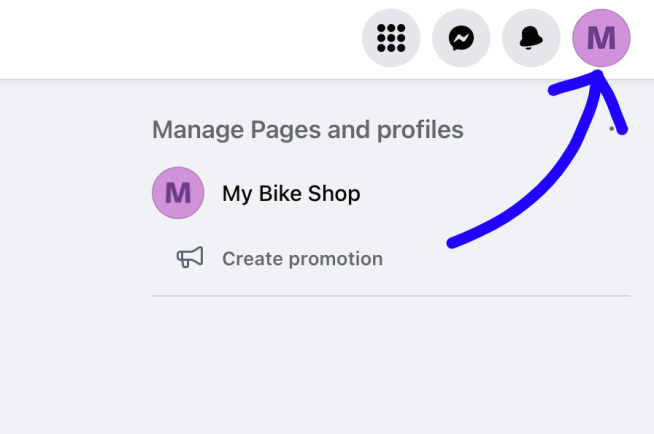
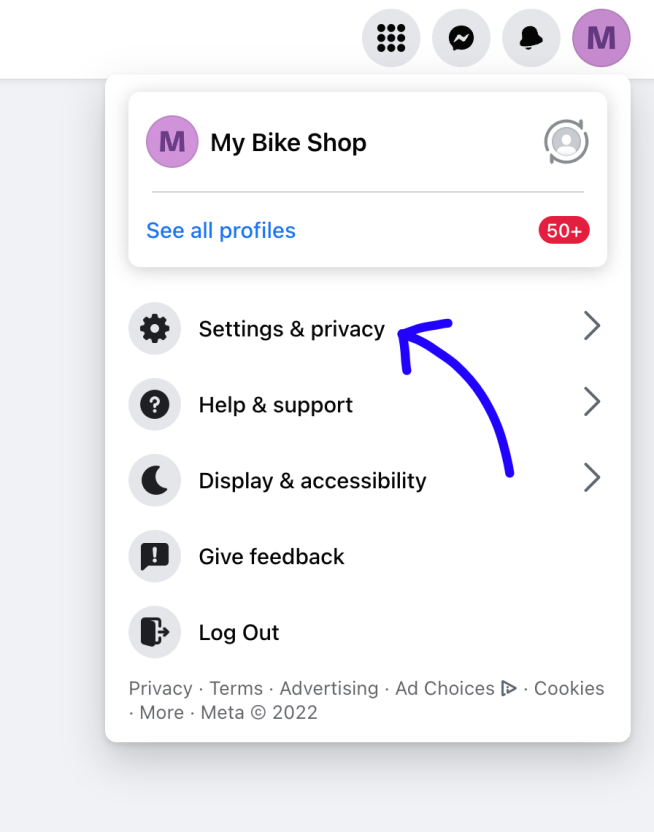
Select the button with your shop’s avatar in the top right corner of the page.
3
Pick Settings & privacy.
4
Choose Settings.
5
In the next menu pick New Pages Experience.
6
Finally, select Advanced Messaging.
7
There you should see LiveChat-Messenger among your Connected Apps. Under Handover Protocol, pick Configure next to Messenger receiver.
8
In the pop-up, set the Primary receiver for the handover protocol. Pick LiveChat from the drop-down menu under Select button.
Now that LiveChat is set as your primary receiver, the messages from Facebook Messenger should appear in the LiveChat Agent App.
Disconnect Facebook from LiveChat
To disconnect the Messenger app from your LiveChat simply go to Settings>Manage Apps>Facebook Messenger in the Agent App, choose the ... button next to Facebook Messenger and pick Uninstall.
Once you’ve done it, your fan pages will be disconnected and the app uninstalled.
Facebook Pixel: track LiveChat-related data and see how many chats, surveys or tickets have your customers engaged in, straight in Facebook Ads Manager!