




Installing LiveChat window is simple and only takes a few minutes. Once installed, you’ll be able to talk to your customers right away.
Install chat widget using a JavaScript code snippet
If you haven’t already, sign up for a free, 14-day trial (no credit card needed). Once you’ve created an account, follow these steps to add the widget:
- Log in to your LiveChat account and go to Settings > Channels > Website.
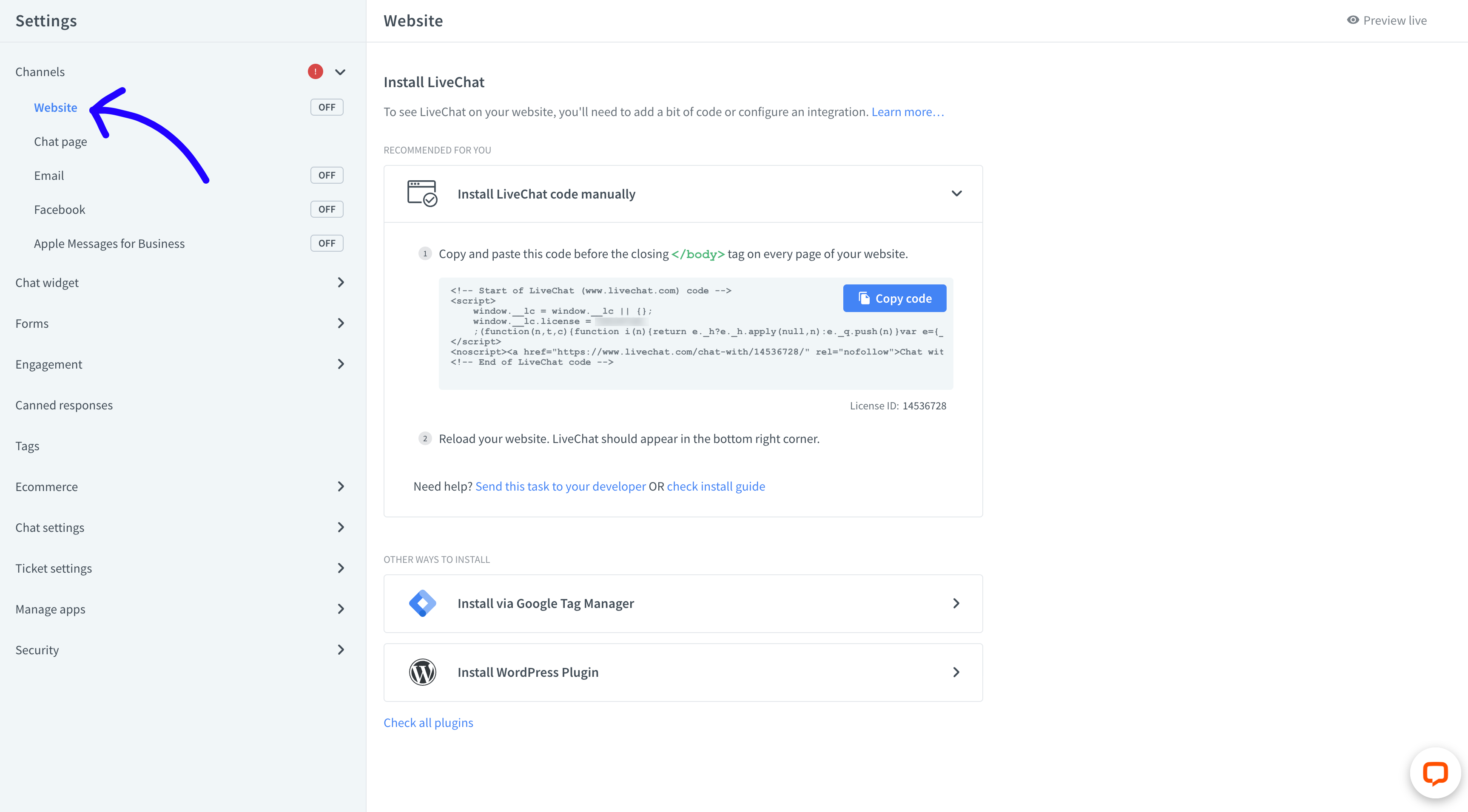
- Then, click on Copy code.

- Paste the code to your website’s source code before the
</body>tag.
- Once you’ve successfully added the LiveChat code to your website, refresh the page. You should see a widget in the bottom right corner.
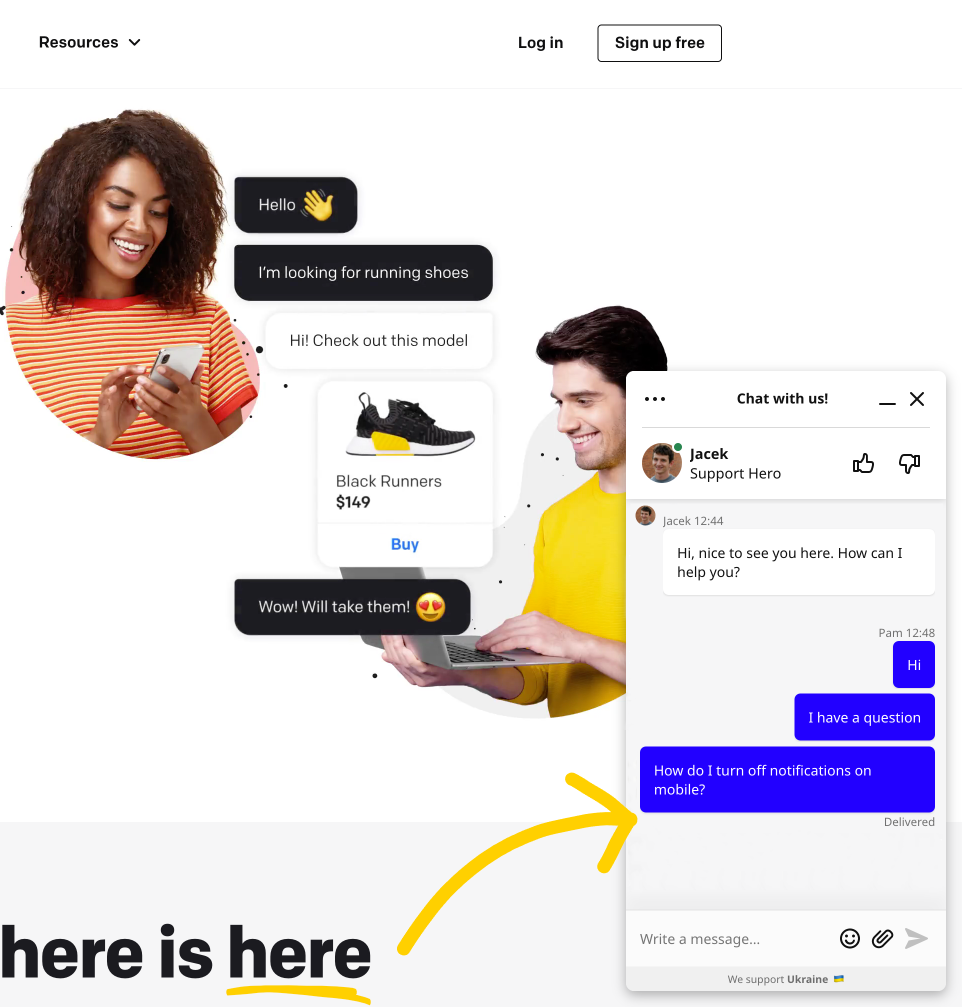
Have any issues with adding a chat feature to your website? Our Support Heroes can help (and are available 24/7).

Embed LiveChat widget using integrations
Running your website on platforms like WordPress, Shopify or Bigcommerce? We’ve got you covered!
We offer detailed chat window setup tutorials for just about any CMS, web builder, and ecommerce platform out there. Here are some of the most popular ones:
- Bigcartel
- Bigcommerce
- Drupal
- Facebook Messenger
- Joomla
- Magento 1
- Magento 2
- Opencart
- Segment
- Shopify
- Weebly
- WHMCS
- Wix
- WooCommerce
- Wordpress
- Zen Cart
Not what you are looking for? Visit Marketplace to see more 3rd party integrations. Once you are there, use the search bar to find the web host you’re using.
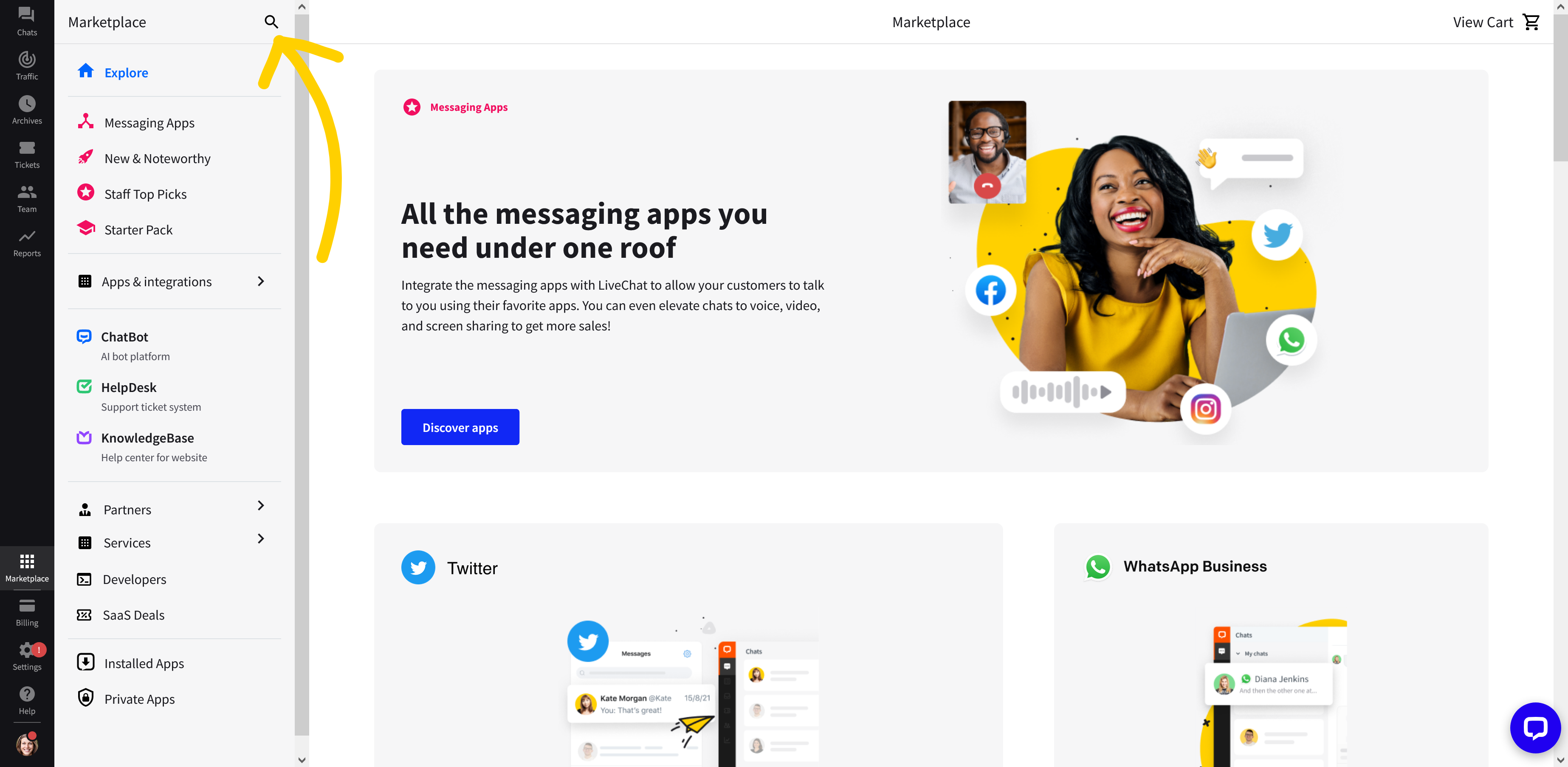
All integrations come with a step-by-step tutorial, which you can also access from Marketplace.
What’s next?
- Customize the chat widget—so it matches your site’s design. Read more about our easy to use chat widget configurator.
- Add chat box greetings—increase the number of incoming chats by setting automatic invites (we call them greetings).
- Watch a product tour—learn the ins and outs of LiveChat from people who use it every day. Watch a product tour video.
- Read our handbook—check out Agent’s Handbook that quickly explains essential LiveChat features.
